
amux for Codex
Codex that keeps going when you don't.
amux runs the Codex CLI you already use, on your own computers and your own plan. Close the terminal and it carries on. When it needs you, answer from your iPhone.

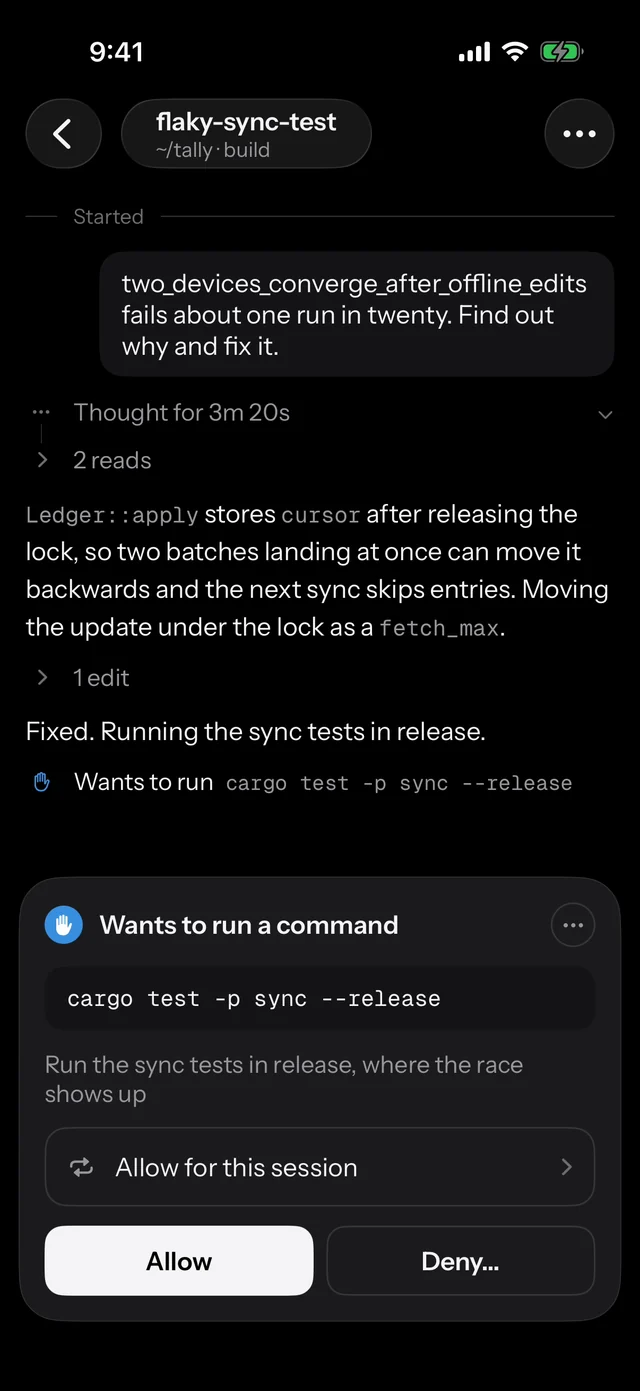
It keeps working
Your terminal isn't holding it up.
Every agent runs as its own process. Close the terminal, lose your SSH connection or let amux update itself, and Codex keeps working. Run amux again and you're back in the conversation.
From anywhere
Answer from your phone.
Straight from the CLI, with no desktop app. See what every agent is doing, approve a command or review a diff from your iPhone, and your agents get back to work.
amux for iPhone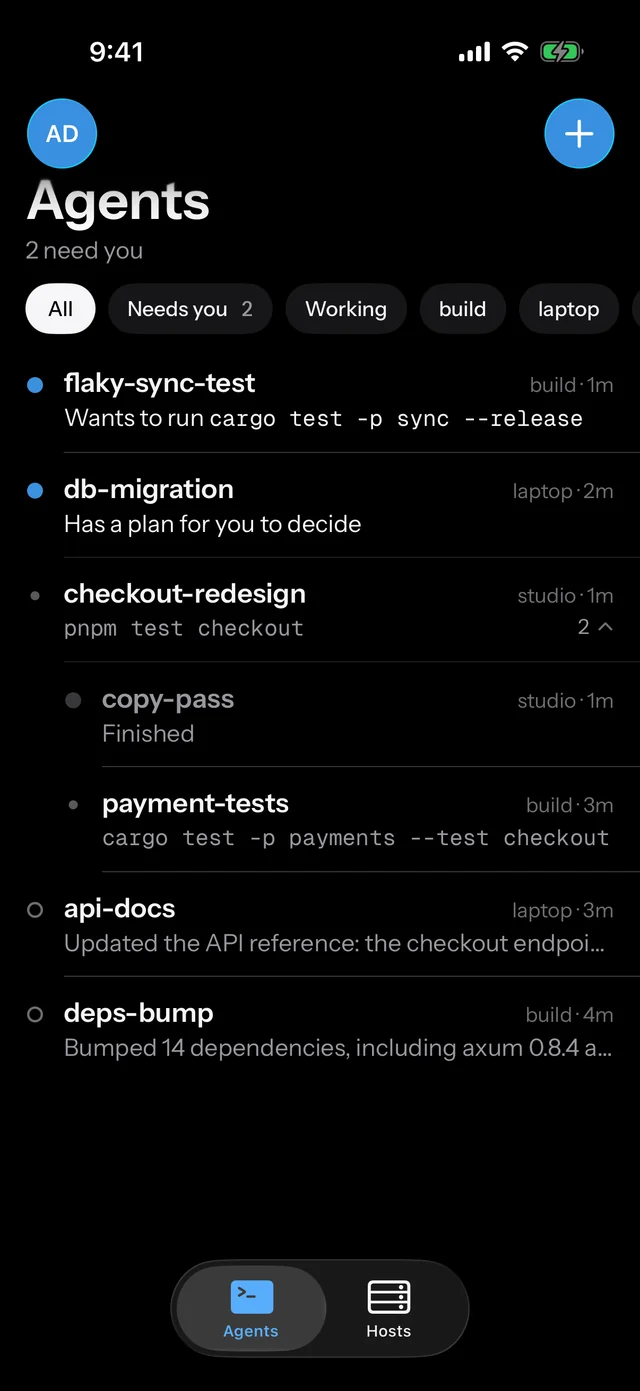
On any computer
Put agents where they belong.
Pair a server or a desktop once, Linux included, then start Codex on it from your laptop or your phone. It uses the tools and the sign-in on that computer, and your laptop can sleep or leave the house.
Run agents on a remote server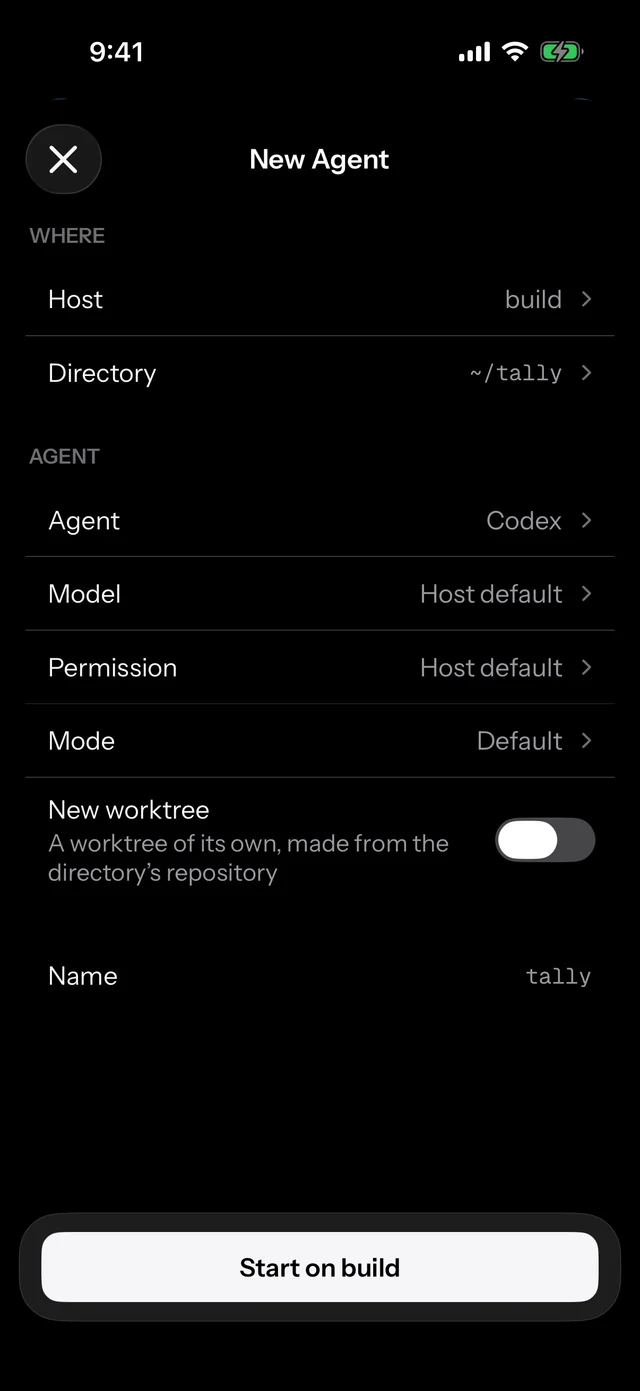
Better together
Codex and Claude Code, on the same job.
Ask in plain words: “Have Claude review this branch and tell me what it finds.” Codex starts the agent, hears back, and acts on what it finds, on any computer you've paired.
Use Claude Code and Codex side by sideNothing to give up
It's still Codex.
Your sign-in, your plan, your settings and your AGENTS.md. Chat in amux or in Codex's own interface, and change your mind with one setting.
Guides
Learn the ropes.
They're written around Claude Code, and the same ideas work for Codex.
- Use Claude Code and Codex side by side You want a second agent without a second setup
- Run Claude Code agents in parallel Your agents overwrite each other's work
- Keep Claude Code running when your laptop sleeps or SSH drops Closing the lid stops the work
- Run Claude Code on a remote server Your laptop is the wrong place for agents to run
Questions
Something else? Write to support@amux.sh or open an issue on GitHub.
Doesn't Codex already do this?
Parts of it. codex agents manages agents on a local or remote server. The ChatGPT apps can reach a computer, but only through the ChatGPT desktop app, which has to stay open on a Mac or Windows computer. With amux there's nothing to set up for each agent: every one you start from the CLI is on your phone straight away, on any computer you've paired, Linux included. Claude Code works the same way.
Do I need a different ChatGPT plan?
No. amux runs Codex itself, on your computer, so it uses the sign-in and the plan you already have.
Can I keep using Codex's own interface?
Yes. Set ui.chat_in to native and your agents open in Codex's own interface on the computer they run on. On your phone and other computers, they open in amux's chat.
Does my code leave my computers?
amux doesn't take it anywhere. Agents run where you started them, and amux carries their chats only between your own devices, end-to-end encrypted. Codex still talks to OpenAI as it always does.
How much does it cost?
amux is free on your own network and over SSH, with no account. Pro adds reaching your agents from anywhere, and notifications on your iPhone.
Codex is a product of OpenAI. amux is independent, and isn't affiliated with or endorsed by OpenAI.